Accessibility is not a feature. It is the baseline. A site that is unusable with a screen reader is a site that has decided, without saying so out loud, who its users are. And who they are not. I was asked to audit a Next.js front end for accessibility, and what I want to talk about here is less the audit itself and more what an audit actually is when you take it seriously.
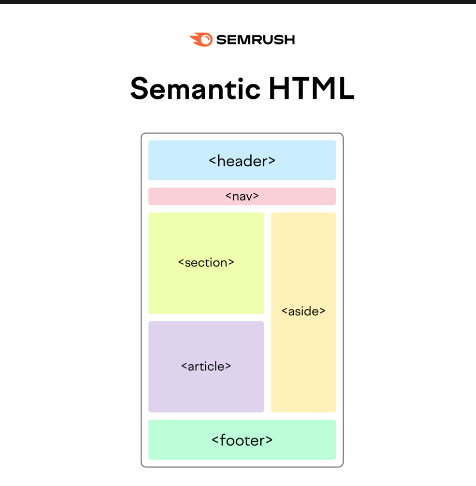
The first thing I did was open the markup. Most accessibility problems are not exotic. They are divs pretending to be buttons. They are headings that skip from h2 to h5. They are images without alt text and form inputs with no associated label. Semantic HTML is the cheapest accessibility tool there is, and the one teams most often skip, because reaching for a div is faster than thinking about what the element actually is. So the audit started by giving every element its real name back.
axe’s Chrome extension did the obvious work. It flagged the missing alt text. It flagged the contrast failures. It flagged the ARIA attributes that had been added in places where the right answer was to delete them and use a real element. axe is good at what it does, and what it does is catch the violations that are mechanically detectable. That is most of the long tail. It is not the hard part.
The hard part is using the application with a screen reader. I sat down with VoiceOver and tried to do the things a user would do — sign up, log a meal, navigate to settings — without looking at the screen. It is humbling. You discover quickly that a page can pass every automated check and still be exhausting to use. Focus order that jumps around the page. Modals that announce themselves and then trap your focus somewhere unhelpful. Status messages that change silently. None of that shows up in a linter.
So the other thing I did was bring the team in. An audit is not a piece of paper. It is a habit. I sat with engineers, walked them through what the screen reader heard, and showed them what changed when we fixed the underlying markup rather than papering over it with ARIA. Once people hear the difference, they cannot unhear it. The bug they would have shipped last week is the bug they catch in review this week.
A few things I am more convinced of after this work than before.
Accessibility lives in the markup. Refactoring the markup is almost always cheaper and more durable than adding ARIA.
Every team needs at least one person who has used the product with a screen reader. The empathy is not optional. And it is not the kind of empathy you can read your way into.
An audit is a starting line. The standards move. The codebase moves. The team turns over. If you do not build the muscle, the muscle atrophies.
This is the part of the job I care about. Software gets to decide who is welcome to use it. I would like ours to welcome more people, not fewer.